Small Chrome extension for viewing local Razor (.cshtml) files
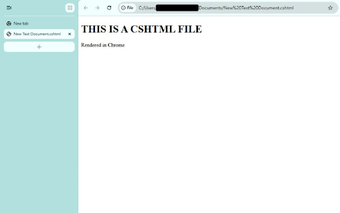
CSHTML Local Viewer, created by Michael, is a Chrome extension for previewing ASP.NET Razor templates locally. It forces the browser to open .cshtml files as HTML so developers inspect markup instead of downloading raw files. The extension offers automatic local rendering and a minimal setup flow. It targets C# developers and UI designers who need a quick on-disk preview without launching a web server or an IDE.
How light is its disk and runtime footprint?
The extension's package is approximately 3.19 KiB and is described as one of the smallest available, so installation uses almost no disk space. The developer lists no bundled libraries or background services, which keeps additional browser processes to a minimum. For typical editing sessions the tool imposes negligible storage overhead and does not add persistent resource consumers to a developer workstation.
What permissions and steps are required to view local files?
Local file viewing requires toggling the Allow access to file URLs option on the Extensions management page (chrome://extensions). After enabling that permission, users can open .cshtml files by dragging them into a tab. The extension prevents Chrome from treating those files as downloads, enabling direct inspection of the file-on-disk markup without additional configuration beyond that permission toggle.
How does the tool handle privacy and data collection?
The developer provides a stated privacy policy that no user data is collected or used. The extension is advertised as privacy-focused, which means it does not send browsing data to external services according to the disclosure. That design reduces external data exposure from the extension itself, leaving file contents on the local machine unless the user explicitly shares them.
Which platforms and browsers is it compatible with?
The extension is available for Chrome on desktop platforms: Windows, macOS, and Linux. It is also compatible with other Chromium-based browsers, including Microsoft Edge, Brave, and Opera, when those browsers accept Chrome Web Store extensions. This cross-platform reach makes the tool usable on common developer desktops without platform-specific builds.
Focused utility for static markup inspection, not a substitute for a server
CSHTML Local Viewer is a focused option for developers who want rapid, file-based previews of Razor views. It does not execute C# or Razor server code, so dynamic behavior and runtime debugging require a traditional local server or IDE. Use the extension for quick layout and markup checks, and keep a separate server-based workflow for functional testing and back-end validation.